How Hexbot works
From install to a crew that knows your work, in eight steps. Every screenshot comes from a real nightly build.
- 1
Install one app
Download Hexbot for Mac or Linux and choose "Run on this machine". The app starts the daemon: the part that runs your bots, keeps their memory, and serves the app.
The daemon keeps working when you close the window, so scheduled jobs and long tasks carry on.
- 2
Connect a model
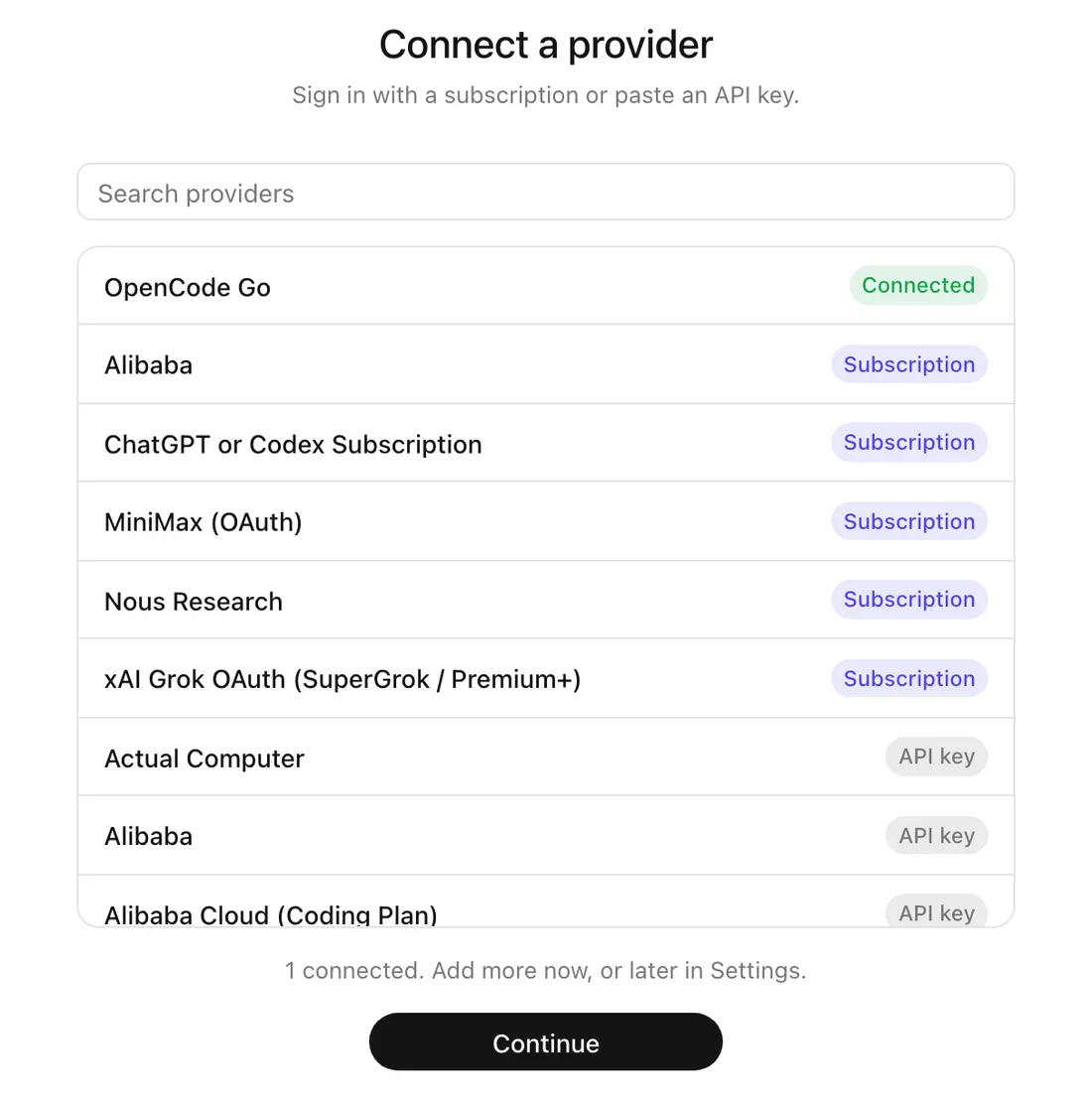
Sign in with a subscription you already have, or paste an API key. More than 50 providers are listed, and local models work too.
Pick a default model for new bots and an optional fallback for when a provider is down.
- 3
Make a bot
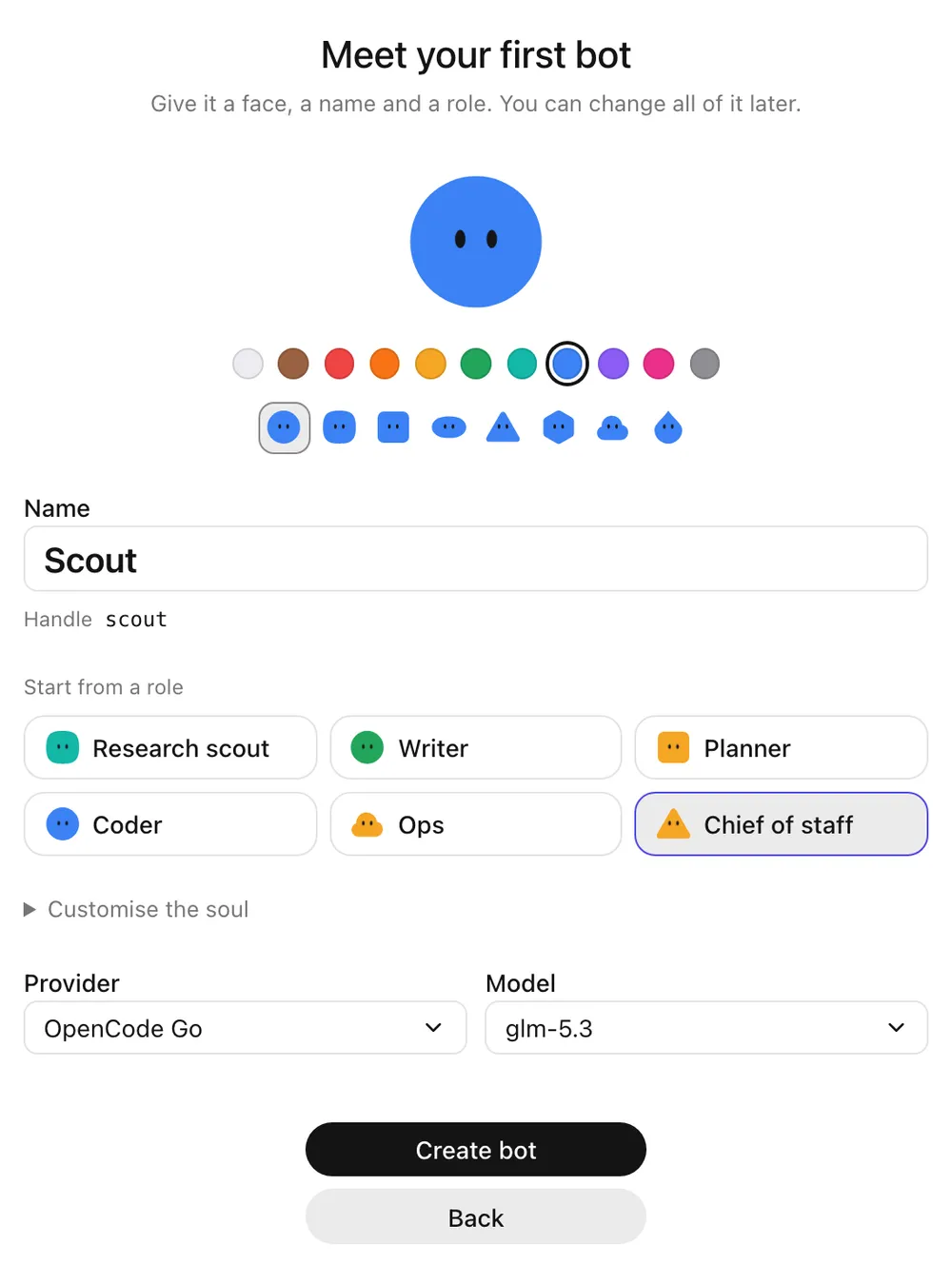
Give it a face, a name, and a starting role such as Research scout, Writer, Planner, Coder, Ops, or Chief of staff. Each bot can run on a different model.
- 4
It interviews you
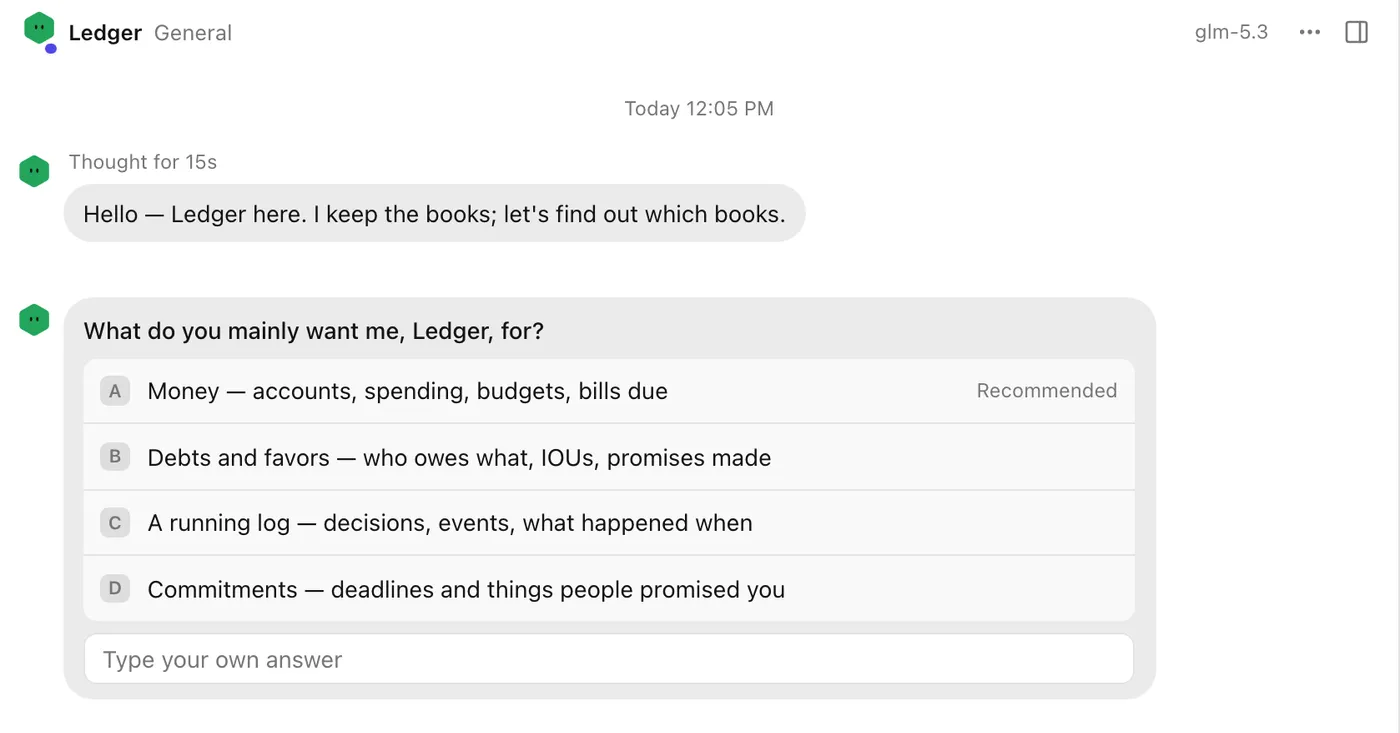
A new bot asks you up to three questions about the job, often with suggested answers. Then it writes its own soul (who it is and how it works) and its first memories.
You can read and edit both later. When the bot changes its soul, it tells you.
- 5
Bring bots together in a room
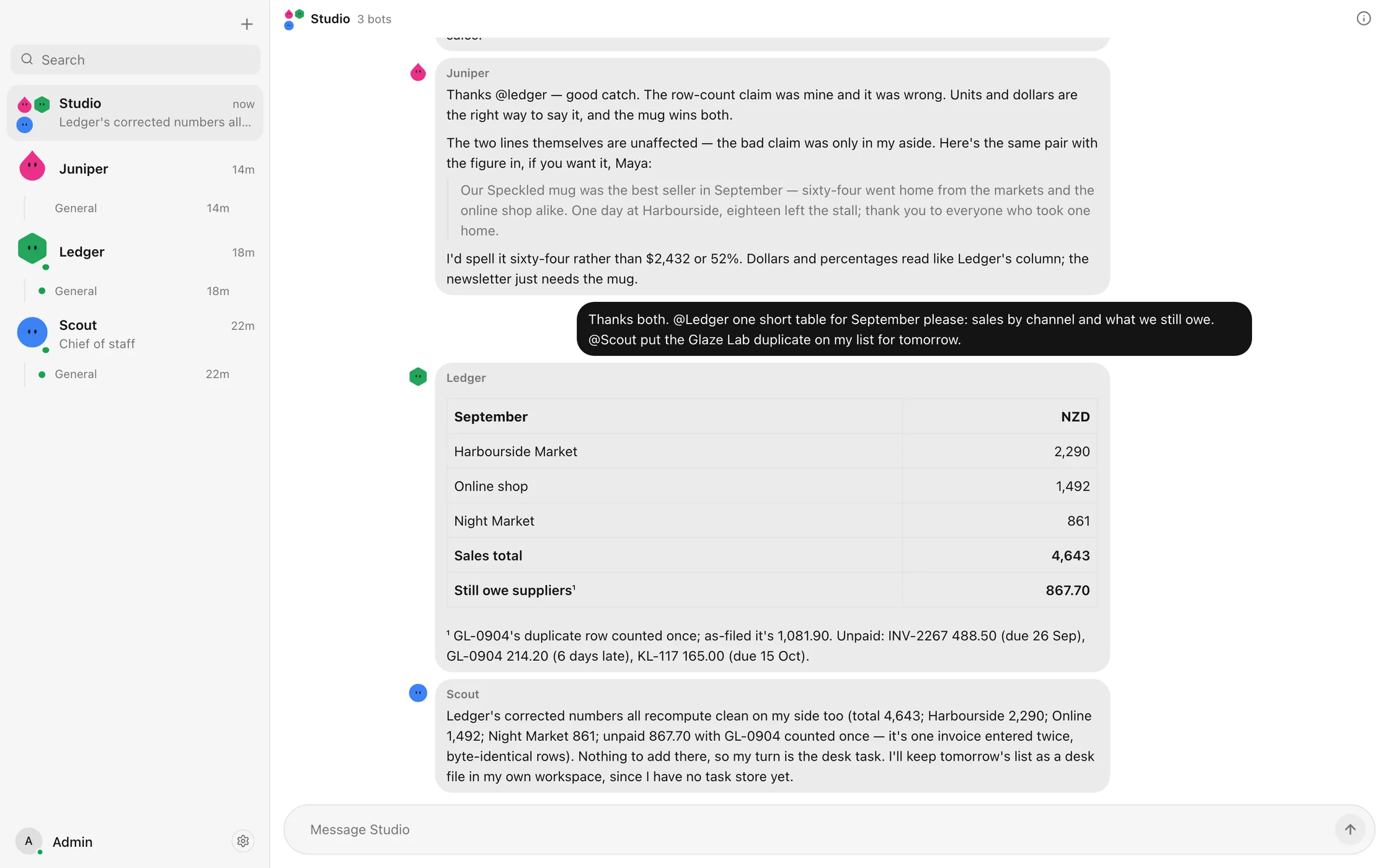
A room is a group chat for people and bots. Mention a bot and it replies. Mention nobody and the room's main bot answers. Bots can mention each other, check each other's work, and hand off.
A room caps how many bot turns follow one human message (8 by default), and you can set a token budget per room.
- 6
Bots remember and dream
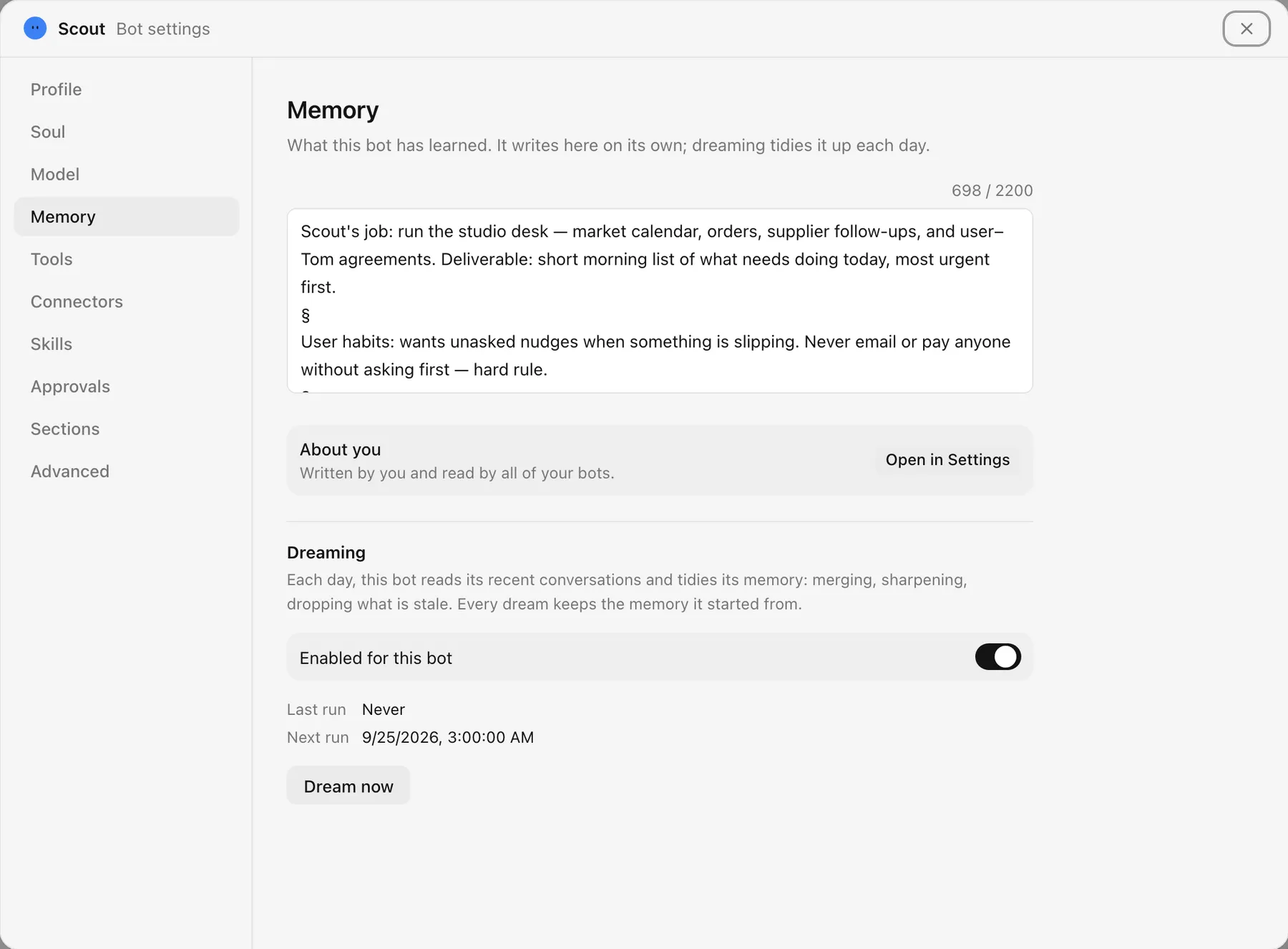
Each bot keeps its own memory as it works. About you is one text you write that every bot reads.
Once a day, at 3 a.m. by default, each bot dreams: it reads the day's conversations and tidies its memory, merging notes, sharpening them, and dropping what went stale.
- 7
You approve what matters
Bots work inside a sandboxed workspace and ask before stepping outside it: a command that needs the internet, a file change elsewhere on your computer. Manual mode asks before every change; Bypass asks nothing.
- 8
Reach it from any device
Pair a phone or another laptop with a one-time code on your network. Away from home, use Tailscale or Hex Connect. Every paired device can be revoked in Settings.
Under the hood
Hexbot is built on Hermes Agent, an open-source agent core. Each bot is its own profile, and one daemon runs them all.
Every conversation is one long-lived session with its own context. The prompt is not rebuilt mid-conversation, so providers can reuse their cache and each turn stays cheaper.
Everything lives in ~/.hexbot on your machine. Hex Connect, if you use it, only brokers sign-in and a hostname.